
GATAS documentation
What is GATAS Connect?
Disclaimer
Use at Your Own Risk
GATAS is provided “as is,” without any warranties.
By downloading or using this device, you acknowledge that you do so at your own risk.
The creators are not liable for any damages or issues resulting from its use.
GATAS is intended for General Aviation only and should not be relied upon as the sole source of traffic or navigation information.
Users are responsible for ensuring compliance with local aviation regulations.
GATAS Connect is an online service that delivers additional ADS-B Out and MLAT traffic to your GATAS device and, in turn, to your EFB. Internally, it uses a compact binary protocol designed for reliability and minimal data usage, making it suitable for limited or unstable bandwidth environments.
The service also allows you to select the aircraft you are flying via a simple web interface. This avoids the need for complex onboard user interfaces to change configuration. Aircraft can be pre-configured at home, so in the cockpit you only power up and fly — with minimal interaction and minimal friction. This service is free for you to use.
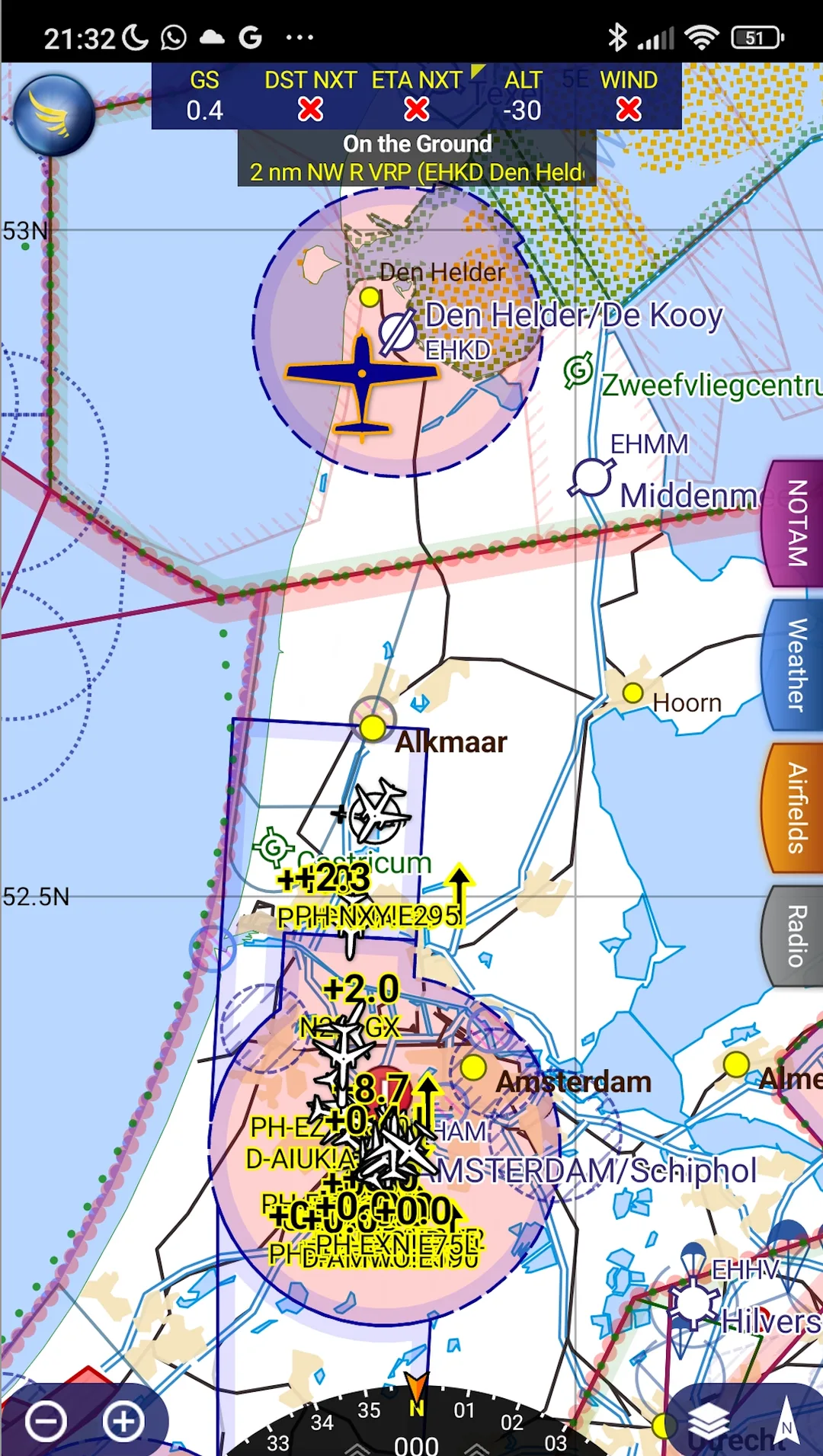
Additional traffic via gatas Connect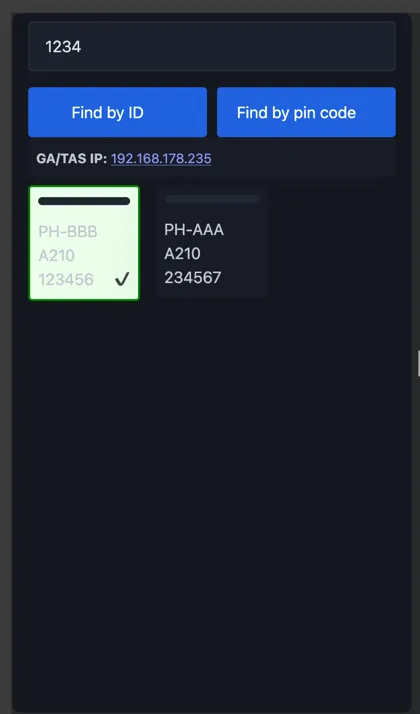
GATAS Server selecting Aircraft
To have GATAS working, please see the setup documentation of GATAS first, usually this means just enable the module and pincode. And ensure that GATAS connect via your mobile phone’s hotspot or when at home, uses your home network to connect to the internet.
Without any configuration, GATAS connect will already pull in ADSB data and send them to your aircraft, however to also change the aircraft you are flying in, if configured for multiple aircraft you will need to use your unique GATAS ID OR you use setup a pincode.
GATAS Connect — Setup and Usage
Prerequisites
Before using GATAS Connect, ensure that GATAS itself is set up correctly.
Refer to the GATAS setup documentation first.
In most cases, this means:
- Enabling the GATAS Connect module
- Configuring a PIN code
GATAS must have internet access. This can be provided by:
- A mobile phone hotspot (typical in-flight use)
- A home network (for configuration and testing)
Basic Operation
Without any additional configuration, GATAS Connect will automatically retrieve ADS-B and MLAT traffic and forward it to GATAS and your EFB.
To switch between multiple configured aircraft, you must either:
- Use your unique GATAS ID
- Configure and use a PIN code
Setup Using a PIN Code
Requirements
- A web browser that provides location information
- GATAS connected to the internet via a mobile hotspot
- GATAS must have a valid GPS fix
Configuration Steps
- In the GATAS configuration, set a PIN code with a value between 1000 and 999999.
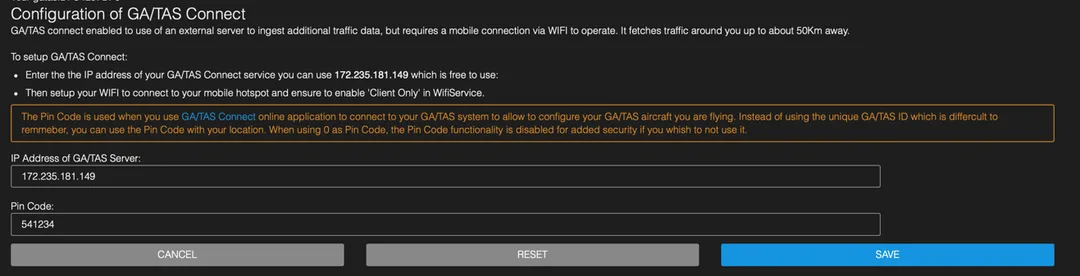
-
Open a browser and navigate to: (url may change in future) https://gatas.vantwisk.nl
-
Enter the configured PIN code.
Access is granted only when the browser and GATAS are within physical proximity.
The server validates this by correlating the browser’s location with the GPS position of GATAS. -
If multiple aircraft are configured, they will be displayed on the page.
Selecting an aircraft will:- Update the active aircraft
- Reconfigure GATAS accordingly
Setup Using GATAS ID
Requirements
- A web browser (location information is not required)
- GATAS connected to the internet via a mobile hotspot or other network
Configuration Steps
-
Open a browser and navigate to:
https://gatas.vantwisk.nl -
If multiple aircraft are configured, they will be displayed on the page.
Selecting an aircraft will:- Update the active aircraft
- Reconfigure GATAS accordingly
In this mode, a GPS fix is not required.